

How to Order
DELIVERY
Quality High currently offers
free cannabis delivery to select neighborhoods throughout Westchester County, making it easier than ever to get legendary flower, edibles, vapes, concentrates, infused drinks, and more delivered directly to your door.
We offer FREE DELIVERY to select locations in Westchester. Click Here to view a map of our delivery area, or type your address into the What's Your Address field to see if we deliver to you.
Requirements & Hours
You must present a valid ID showingyou are 21+ at delivery. We can only deliver to permament addresses - we can't meet you at your car or an outdoor location.
Delivery Hours
1:30 - 7:30 PM Tuesday through Sunday
Click through the tabs below for step-by-step instructions on how to set up your account and place an order.
If you have any issues, give us a call at 914.631.0859. We're always happy to help!
Free Cannabis Delivery in Westchester
STEP ONE
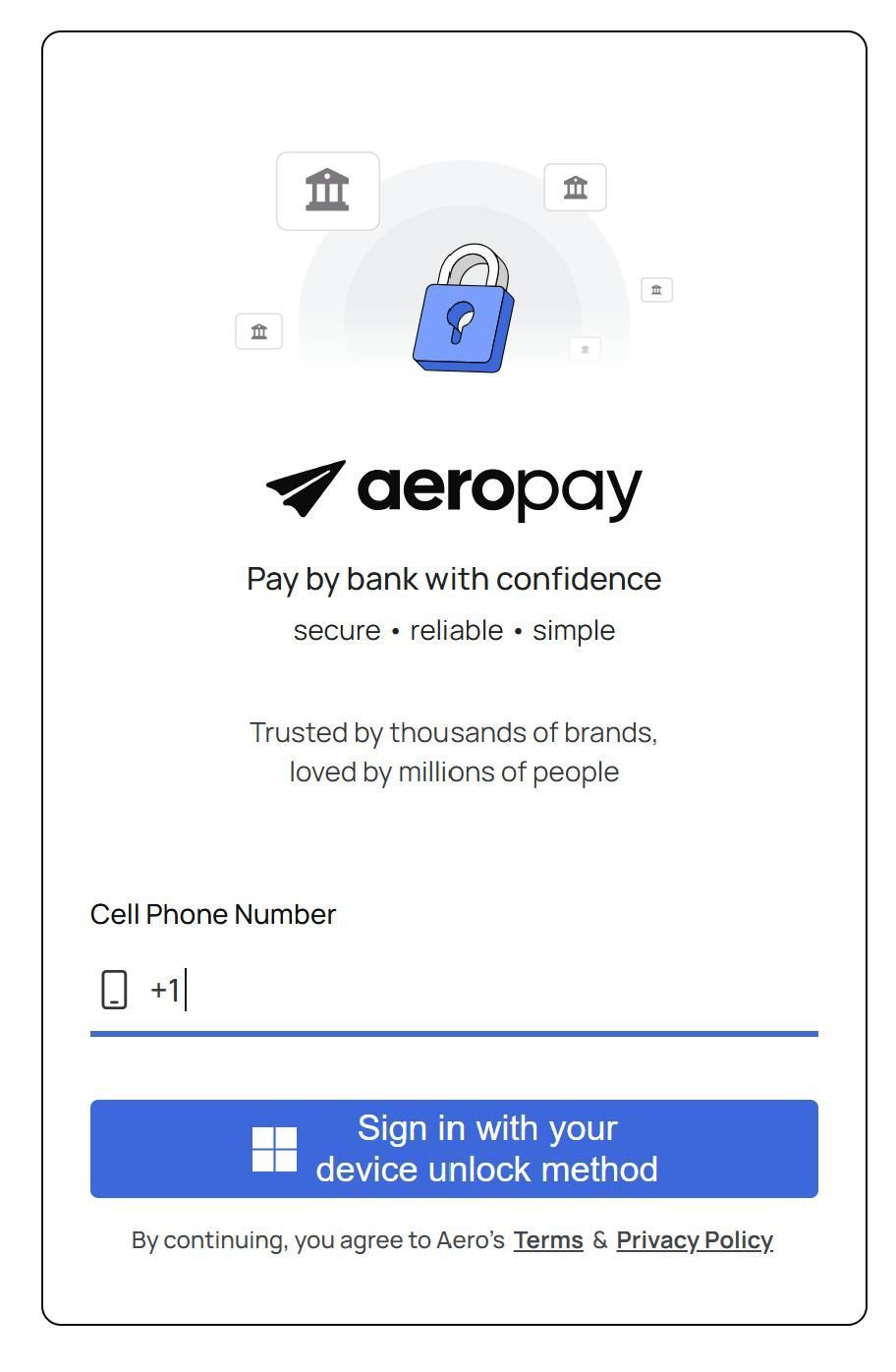
Sign up for Aeropay
- Click HERE to create an Aeropay account for online payments.
You will only have to do this the first time you place an order.
- Securely link your personal bank account to your Aeropay account so you can make ACH payments.
To Know:
Because of federal regulations, we are currently unable to accept credit cards, Venmo or Zelle. Aeropay is most popular payment system for dispensaries. We do not have direct access to your information - we only receive payment when you place your order.
STEP TWO
Quality High Website Account
Create a Quality High account.
- Click HERE to get to our online dispensary
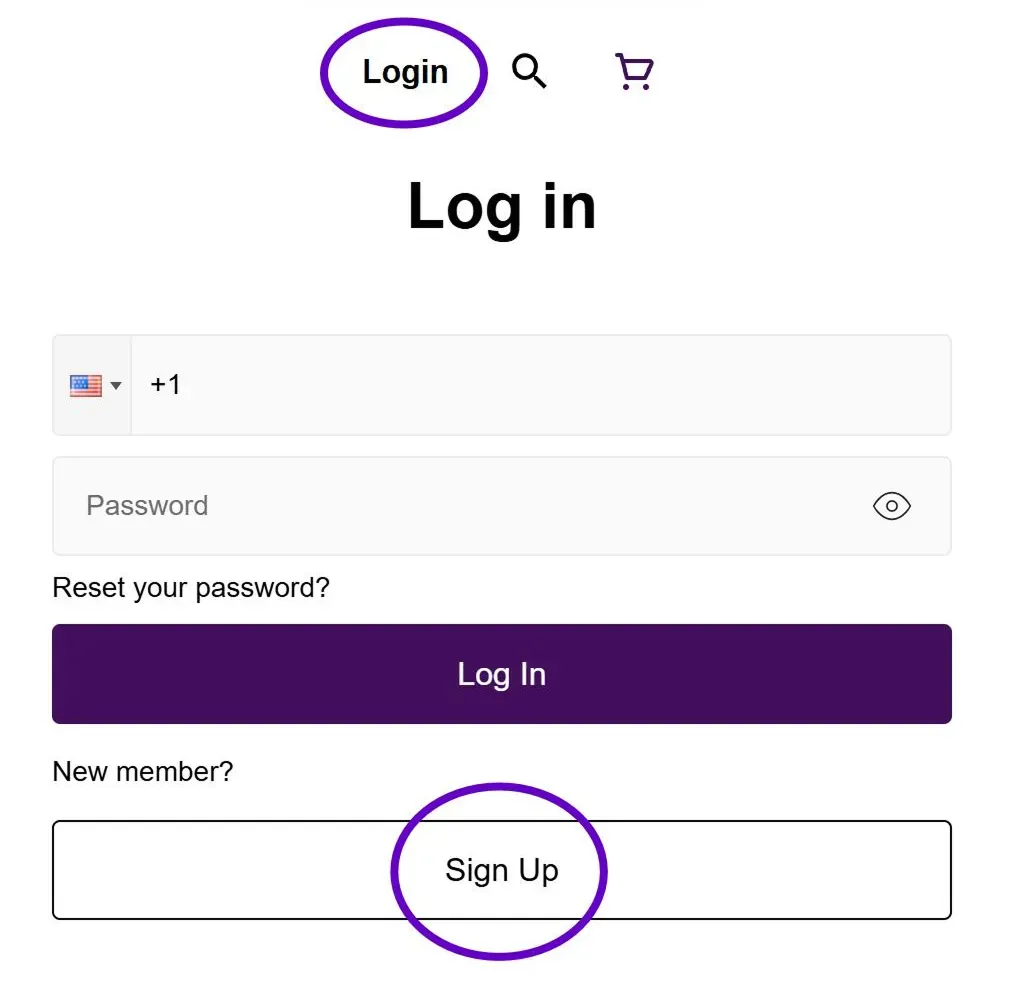
- Select Login at the top right of the home screen
- First time online customers will then select Sign-up
- Simply enter the required information and select Sign-up at the bottom of the screen
- Just a heads-up, you will be sent a verification code for 2 part authentication
To Know:
You must create an online account even if you’ve previously made purchases at the store.
STEP THREE
Confirm Delivery Location
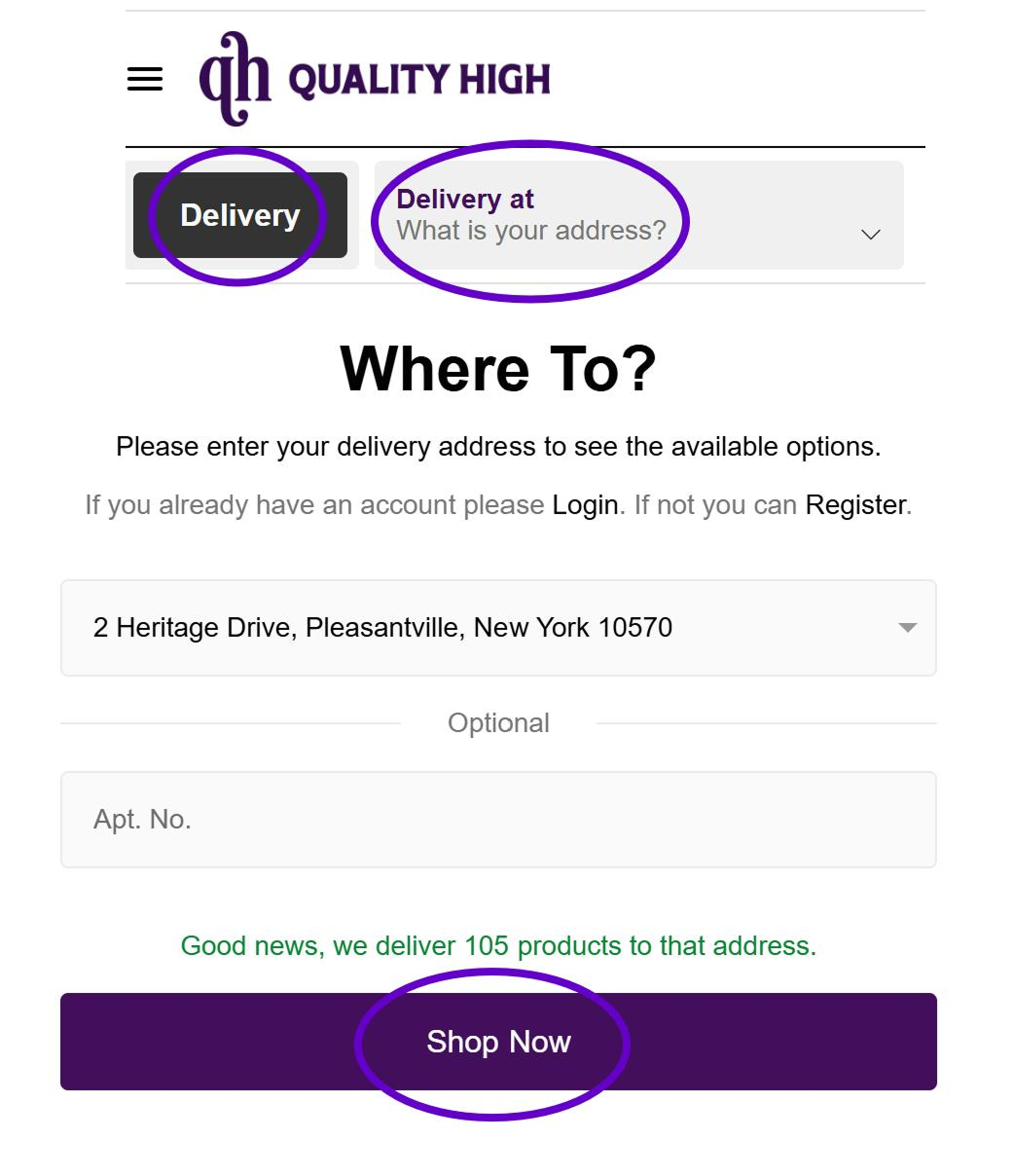
- Select Delivery at the top left of the home screen and click What is your address?
- The Where To? pop-up window will appear. Search for your address.
- Once confirmed, click the Shop Now button at the bottom of the pop-up window.
TO KNOW:
Click HERE for a map of our Westchester cannabis delivery zone which includes Sleepy Hollow, Tarrytown, Briarcliff, Ossining, Millwood, Chappaqua, Pleasantville, Armonk, Mt. Kisco, Thornwood, Hawthorne, Valhalla, and surrounding areas. We'll be expanding to additional locations such as White Plains, Scarsdale, Hartsdale, Peekskill, Yorktown and more.
If you're not yet in our
delivery zone, try ordering online for quick and easy in-store pick up.
STEP FOUR
Shop & Check Out
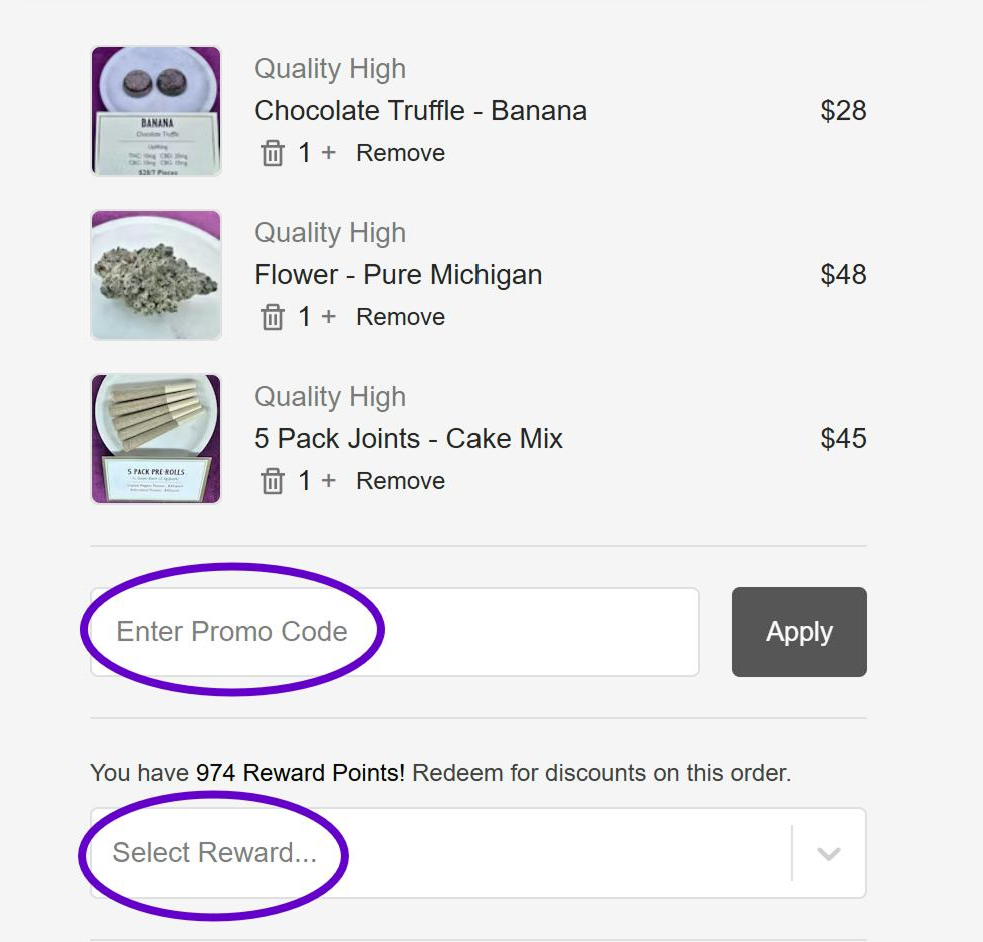
- Fill your cart with premium cannabis product, then select Checkout
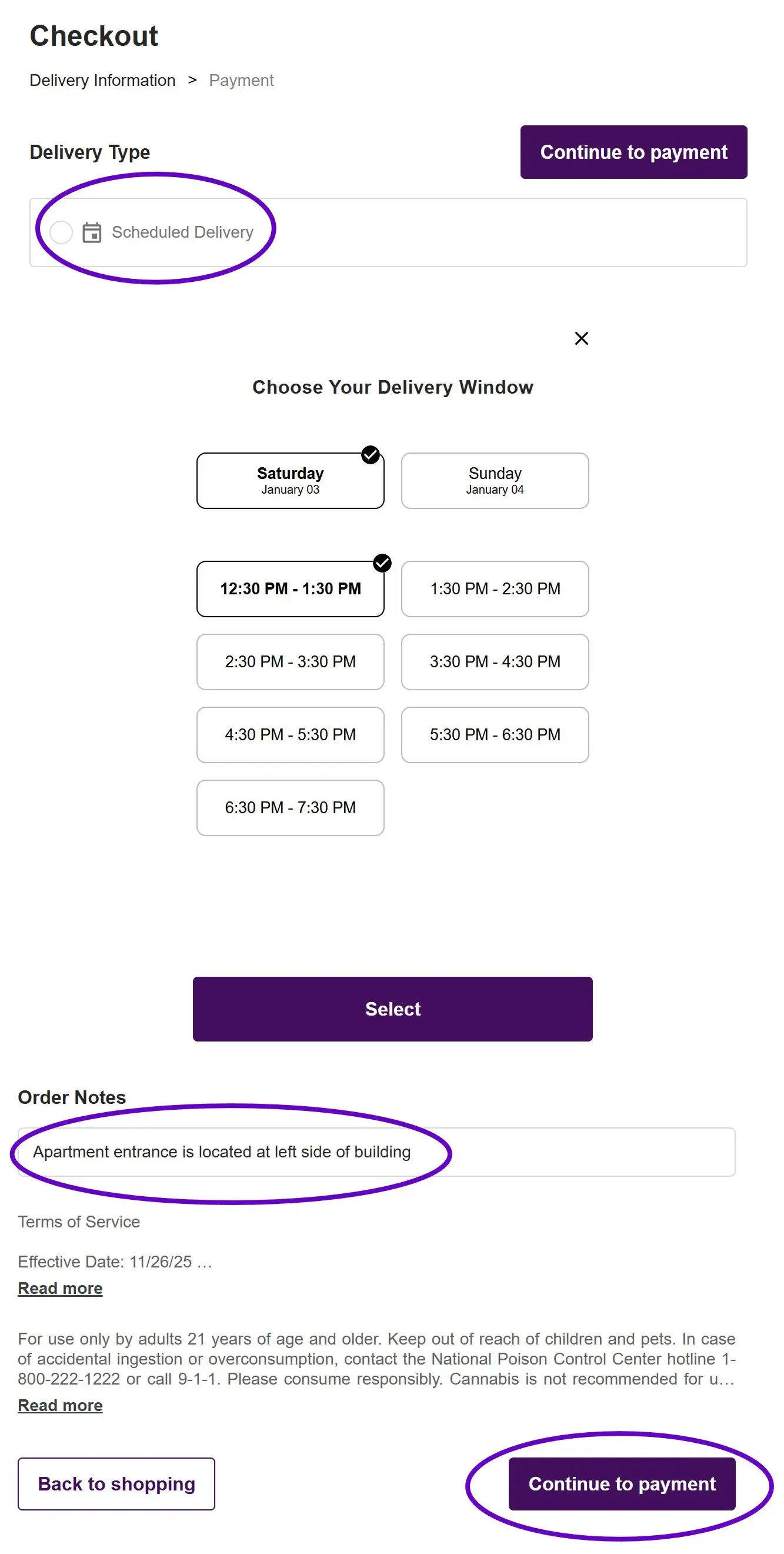
- At the top left of the Checkout screen under Delivery Type select Scheduled Delivery
- Choose an available delivery windows for the same or next day.
- Enter any notes that will help our drivers find your location (ex: Entrance on left side),
- Click Continue to Payment and select Aeropay, then the bank account you want to use.
- If you want to use a Promo Code or Reward Points enter them before clicking Pay Now.